Creating screens
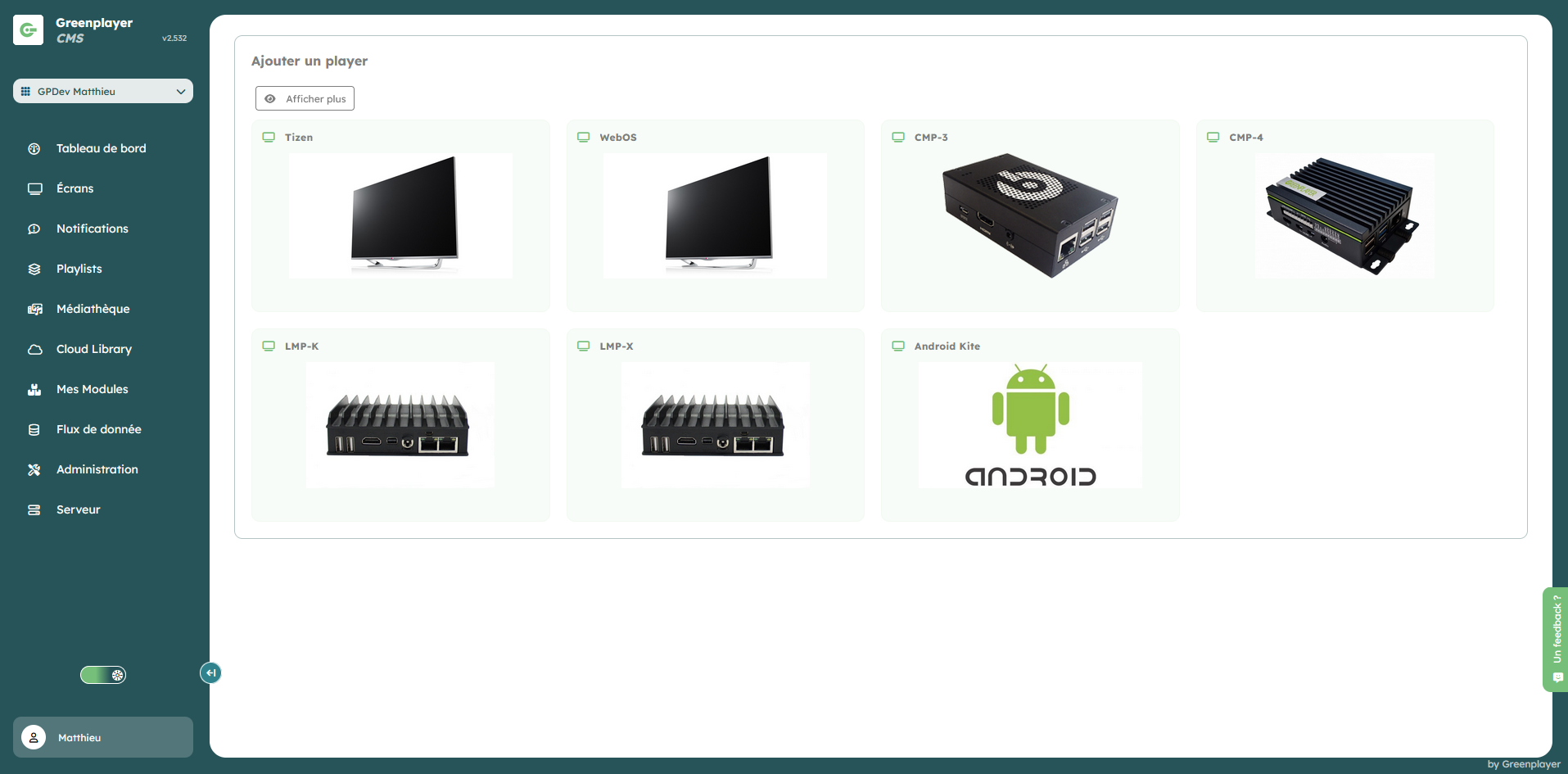
New screens are added via the Add a screen button.
- Choose the hardware type to create.
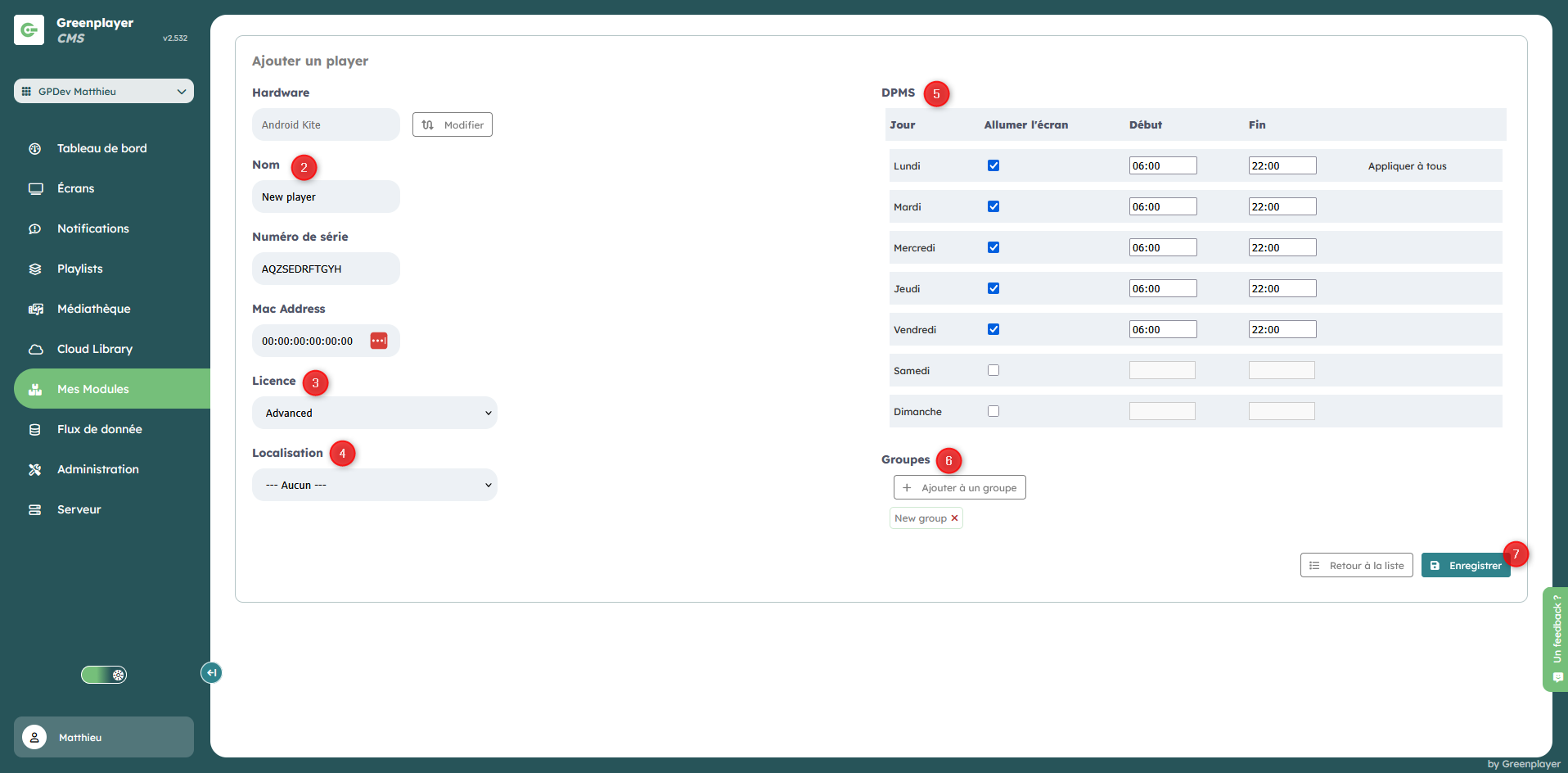
- Enter the screen name, serial number, and MAC address
- Select its license
- Select its location
- Configure its display schedule
- Place the screen into groups
- Save
The new screen is added to the list at the bottom of the screen. You can download its configuration file (8), and continue adding new screens.
