Actions and filters
Each screen has an action menu. This menu is visible by right-clicking on the screen row, or by clicking its action button.
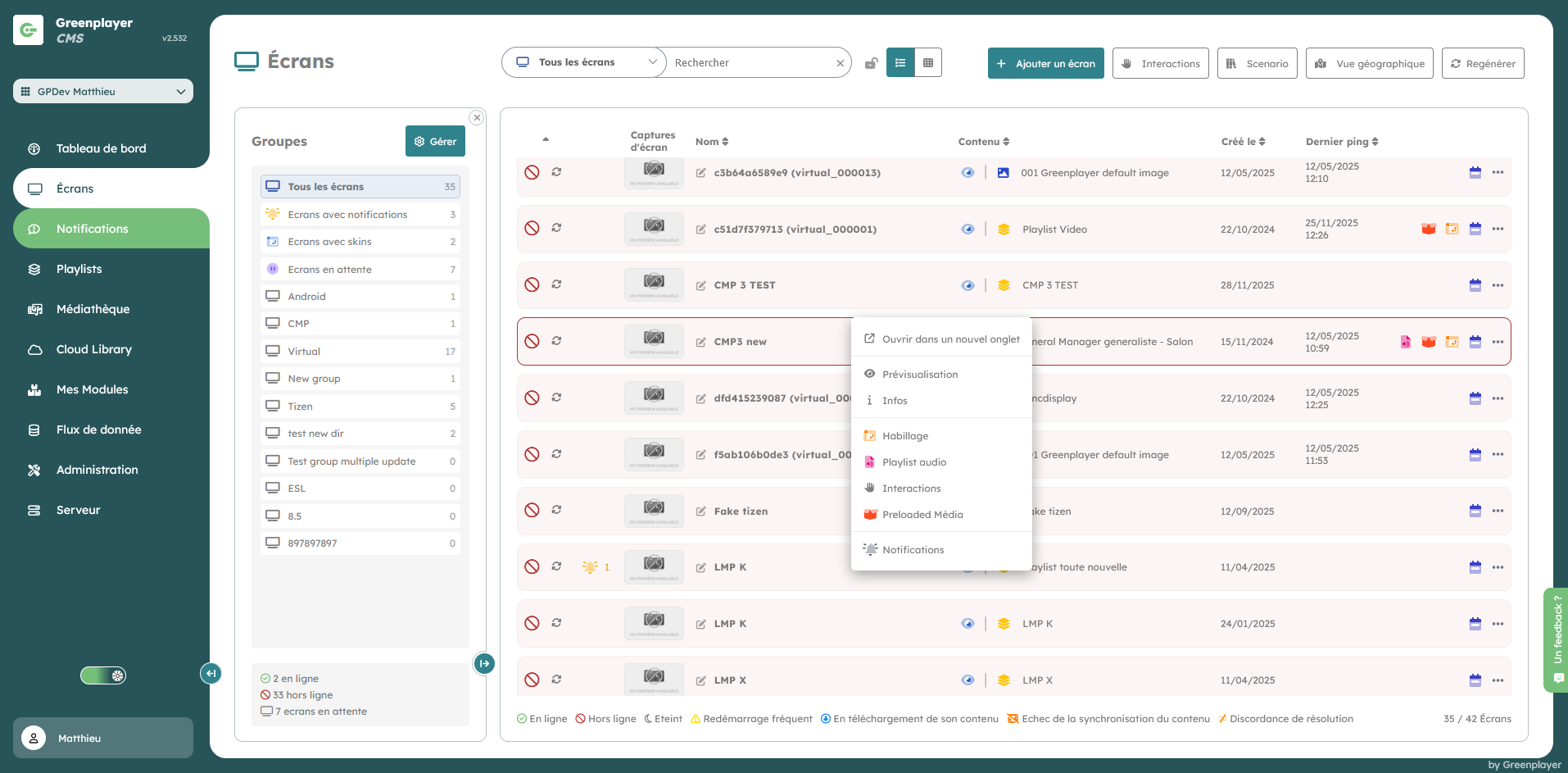
Possible actions on a screen
- Preview
- View its information (on the same page, or in a new tab)
- Manage its skin
- Manage its audio playlist
- Manage its preloaded media
- Manage its notifications
If, as in the example above, the selected screen has a skin, the icon will be colored.
Search and filtering
To find a screen, you can combine:
- filter by screen status
- text search
- group navigation