General
The General tab groups the main information of a screen.
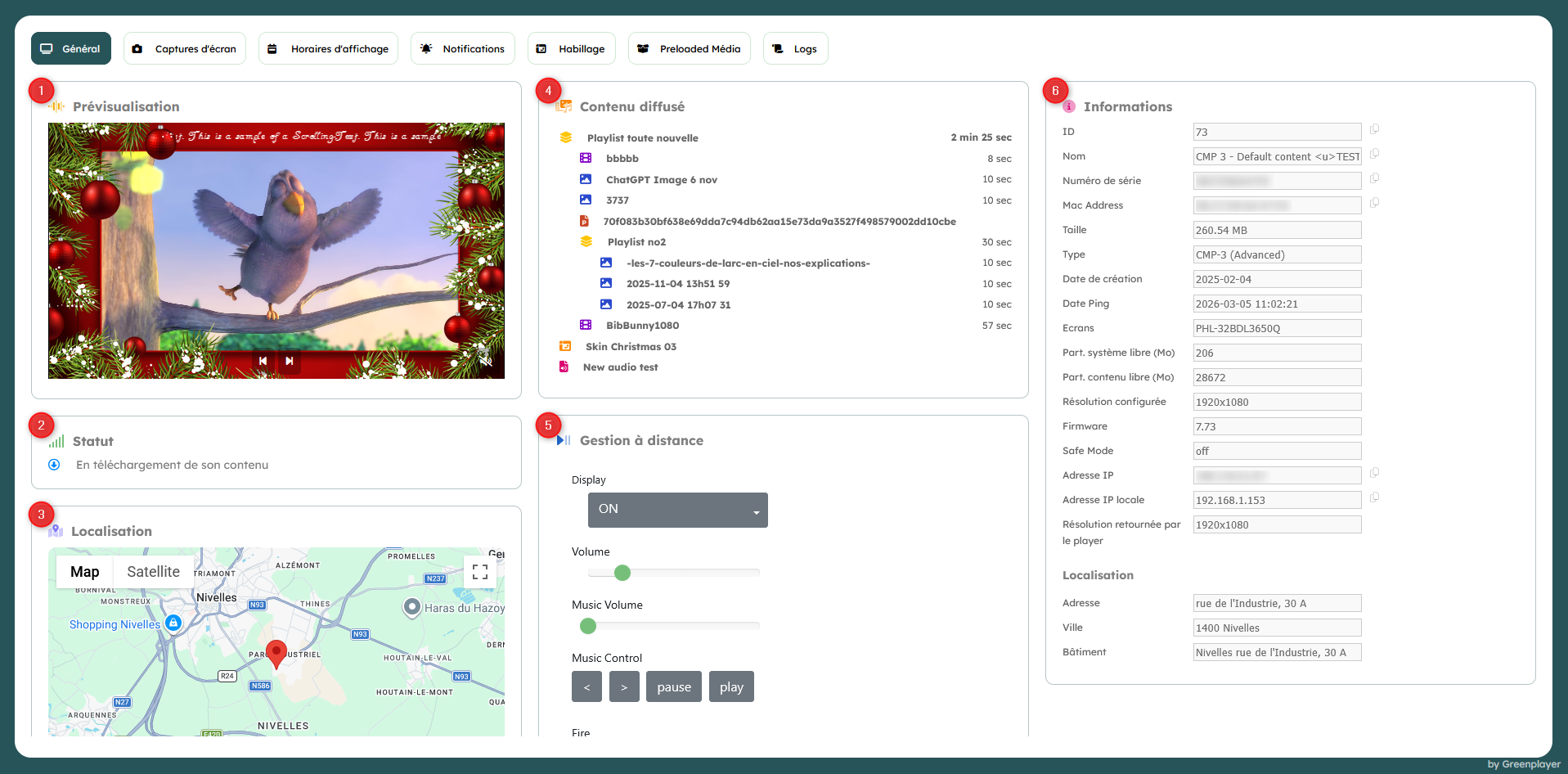
Displayed cards
1. Preview
Screen rendering, as close as possible to reality.
If preview is not available, the latest screenshot is displayed.
2. Status
Displays the screen status.
3. Location
Displays the screen location if it has one.
Otherwise, displays a form to set its location.
4. Broadcast content
Tree view of the broadcast media and all its children, plus optional attached skin/audio playlist.
In the example above, a playlist containing several media and another sub-playlist is broadcast on the selected screen. A skin (Skin Christmas) and an audio playlist are also present.
5. Remote management
Remote management is not available for all screen types.
When available, you can:
- turn the screen off/on outside its display schedule;
- manage screen volume;
- manage playlist playback.
6. Information
Includes the screen technical sheet.
Some fields (Name, IP, ...) can be quickly copied to the clipboard using the icon on their right.