Edit recurrences
You can edit a recurrence from the Events page by clicking the Information button on the right.

A window opens with the recurrence information.
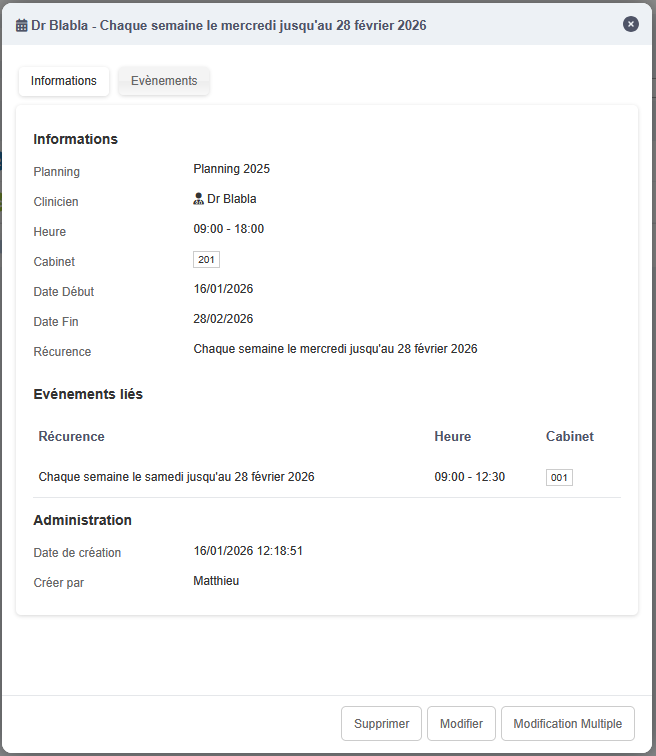
Simple edit
On the left side, click the yellow pencil to edit the recurrence general options, as well as its start and end times. If you change the times and the previously selected room is no longer available, you will also need to change the room.
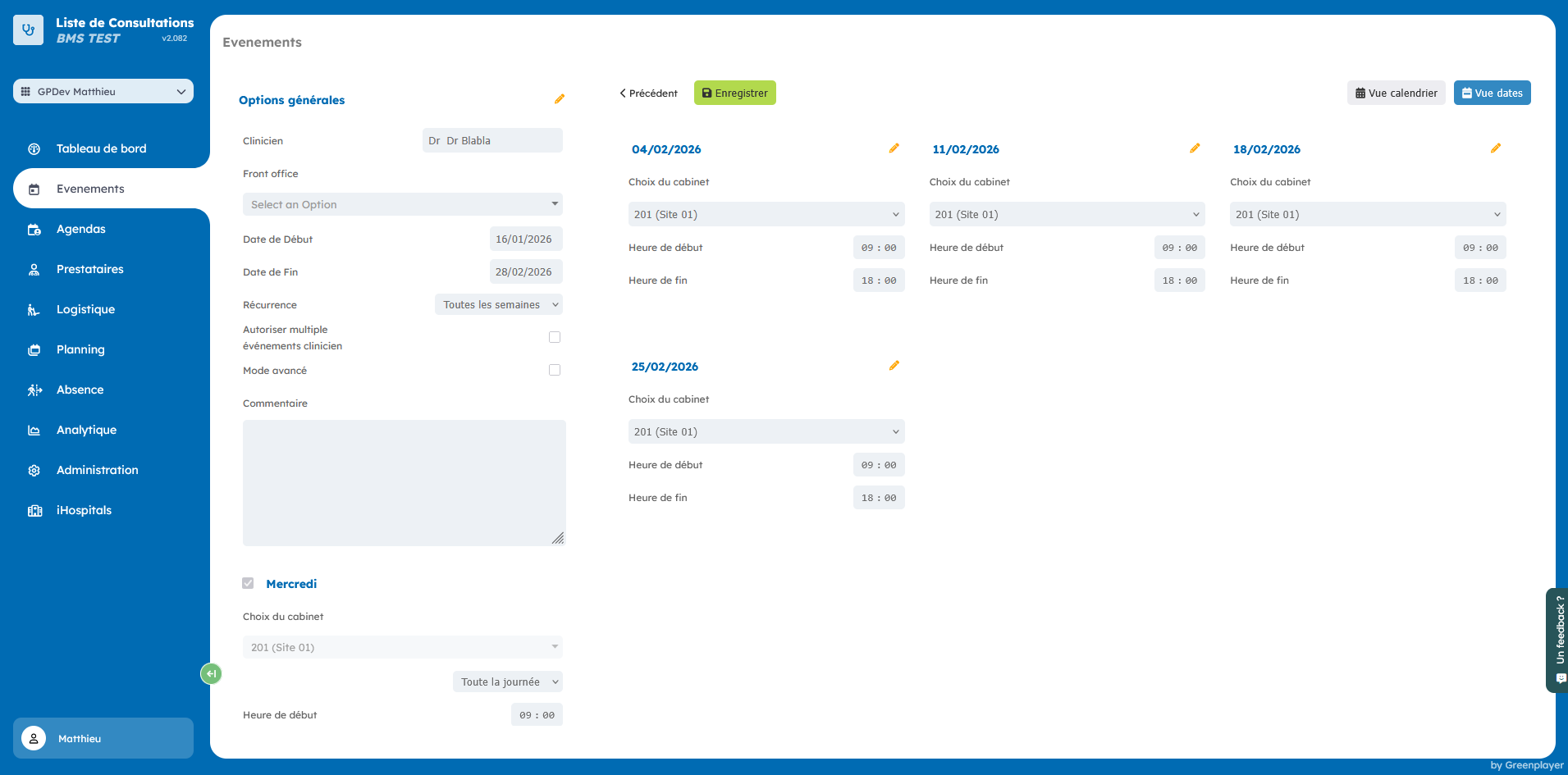
If you want to change the room of the recurrence or its advanced options, you need to click the second yellow pencil, present in the day form.
Multiple edit
If, when this recurrence was created, several days were created at the same time, you can edit all those days via the "Multiple edit" button.
Create exceptions
The right side of these edit forms lets you edit a single occurrence of the recurrence. This will create an exception.
