Agent management
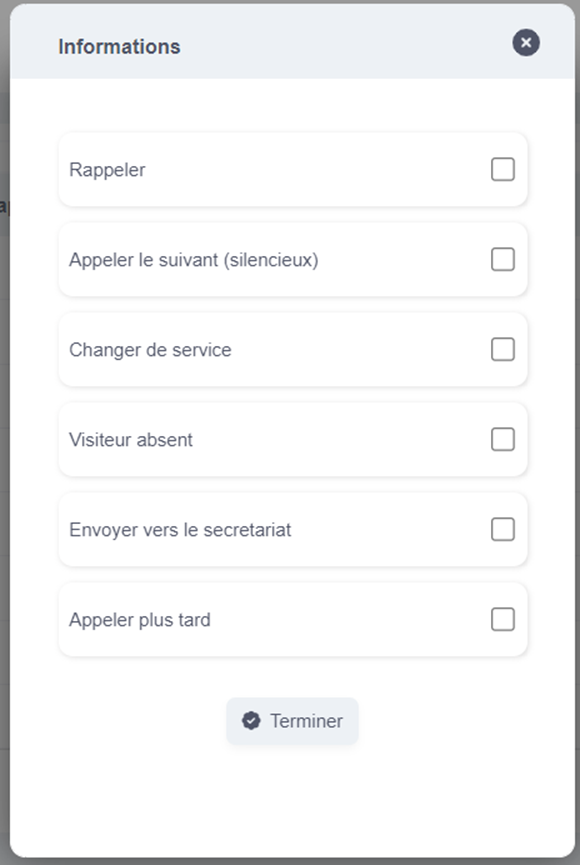
On the "Agents" page you have an overview of the different agents as well as their status, their callable tickets, and their assigned group and desk.
1. Create a new agent
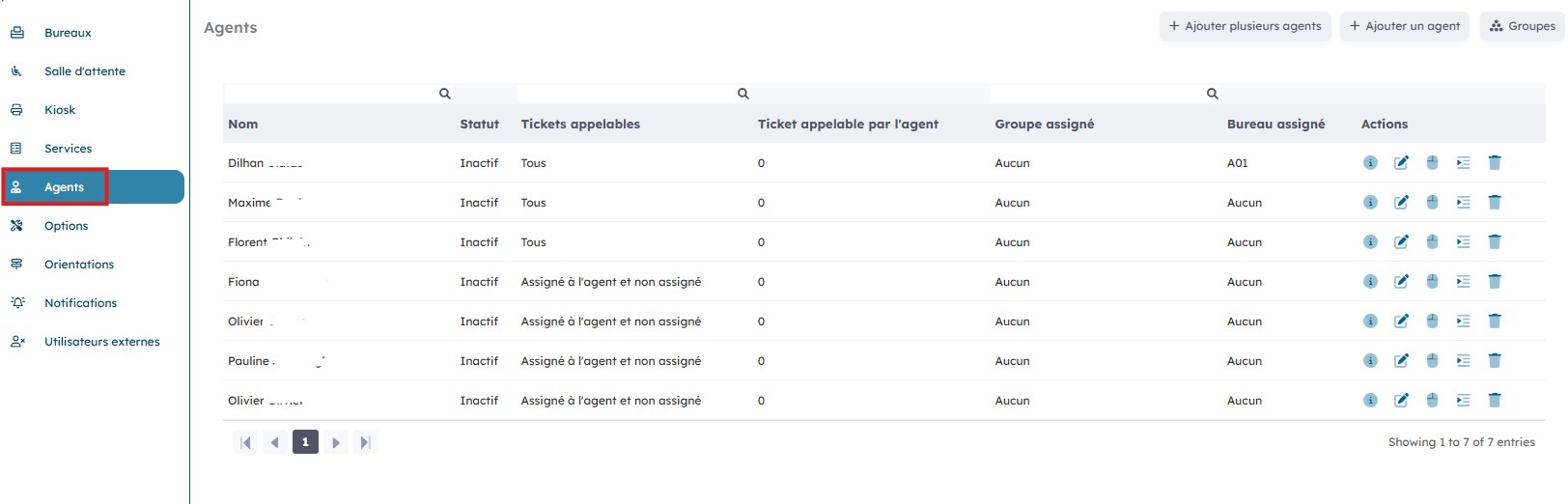
You can add a new agent by clicking "Add an agent".
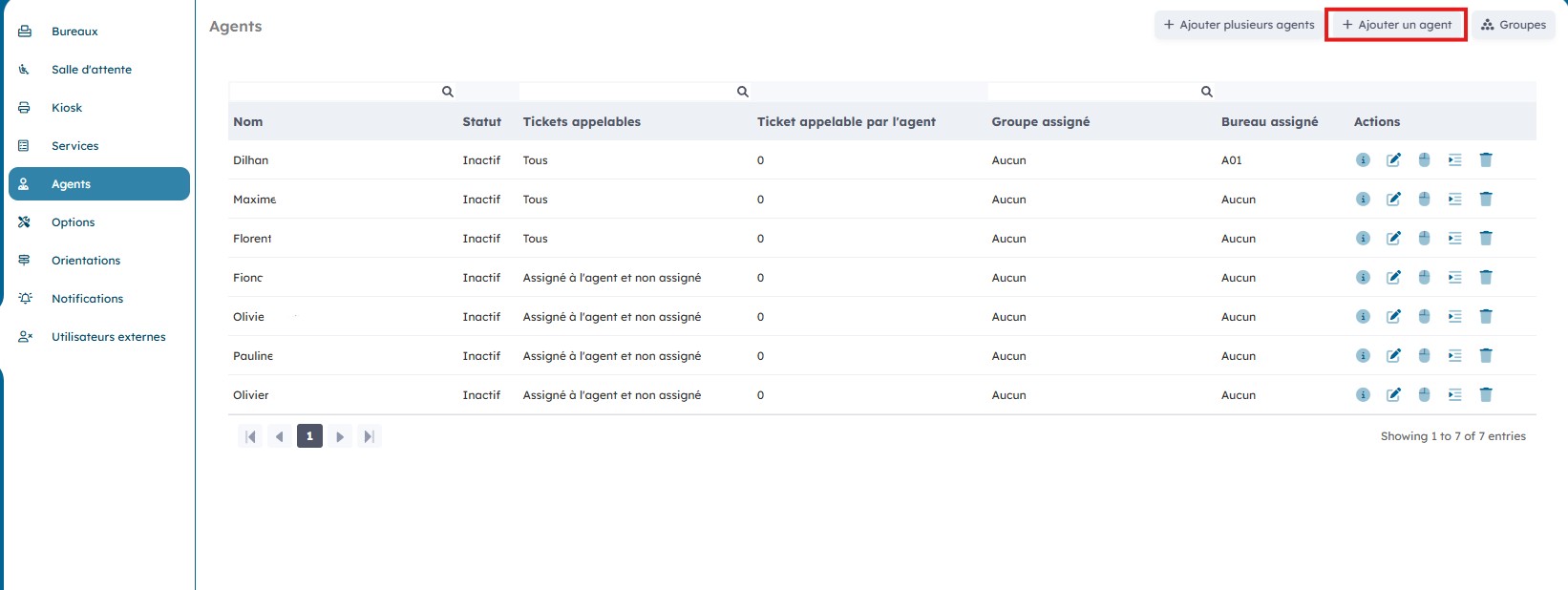
Choose the user you want to insert as an agent and assign a desk if necessary. Then click "Send".
2. Edit an existing agent
By clicking the "Actions" icons, you can edit and delete an agent.
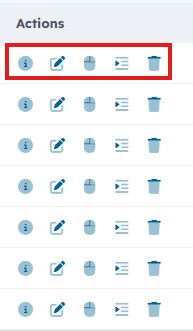
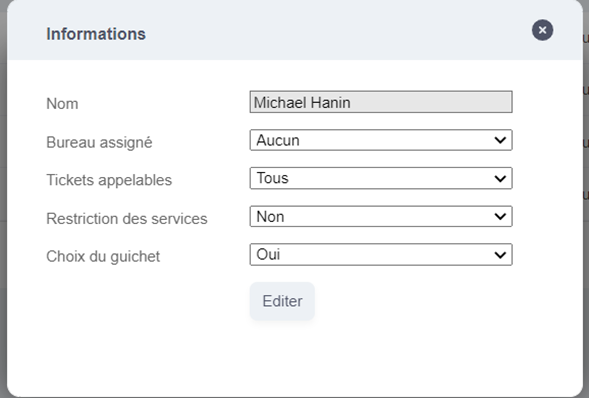
By clicking "Edit", you can modify the agent's information.

Modify their permissions and restrictions and then click "Edit".
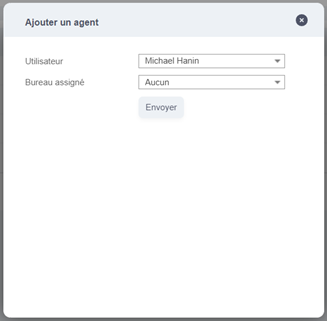
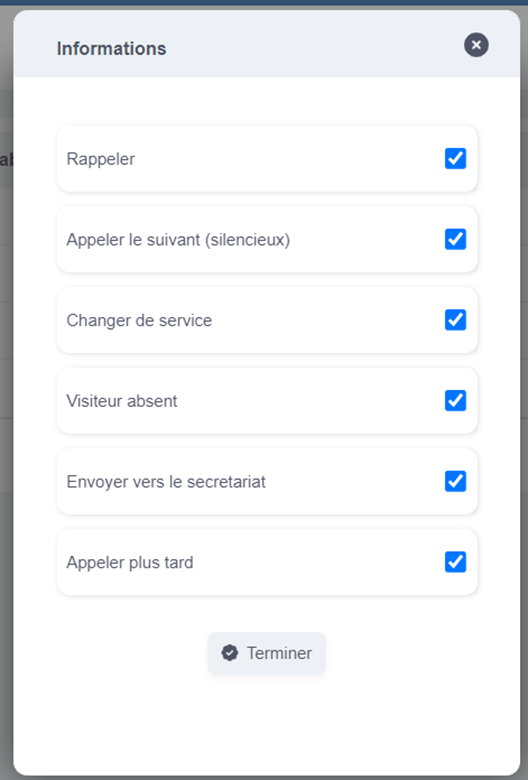
By clicking "Buttons", you can modify the actions the agent can perform.

Check the buttons the agent will have access to, and then click "Finish".
By clicking "Delete", you can delete an agent

3. Agent group management
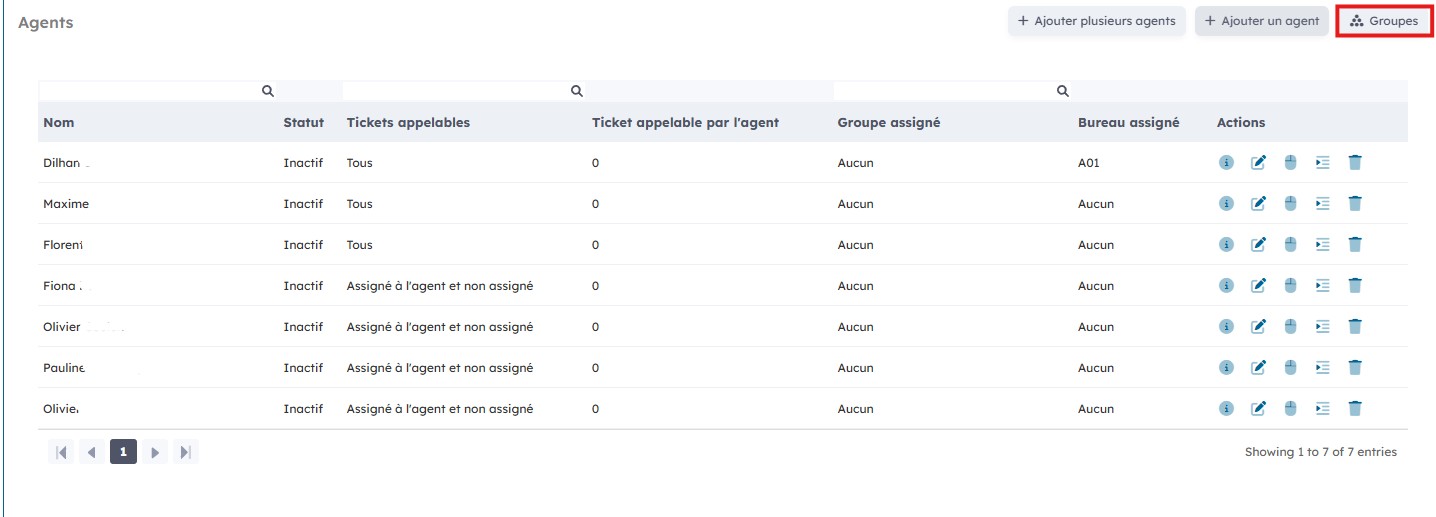
By clicking the "Actions" icons, you can edit agent groups.
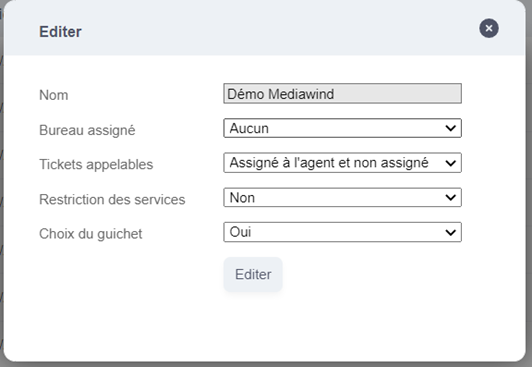
By clicking the "Edit" icon you can change the information and permissions linked to the different agent groups.

Then click "Edit".
By clicking the "Button" icon, you can modify the actions the agent group can perform.

Then check the buttons the agent group will have access to, and then click "Finish".